VPN for Chromebook: Fast, private, and easy to use
Stream, browse, and protect every Chromebook connection without slowdowns or setup headaches
- Install in under 5 minutes with our native Android app
- Stream your favorite shows in HD/4K on our 10Gbps server network
- Protect your privacy on public and school networks with robust encryption
Start Your Risk-Free Trial Download App
30-day money-back guarantee*
*for first-time users
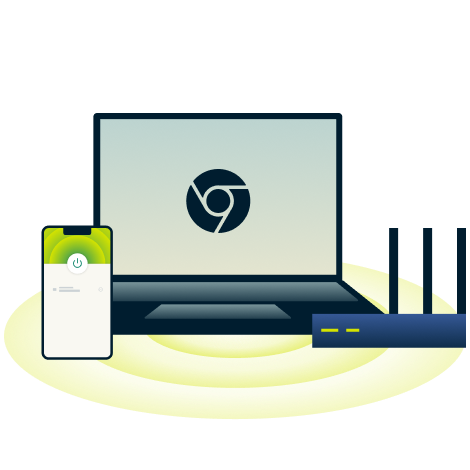
Why you need a VPN for Chromebook
Stay private and connected on any network with a Chromebook VPN
Protect your personal information on shared Wi-Fi
Whether you’re checking emails at a café, working on campus Wi‑Fi, or browsing at a library, public networks can leave your data vulnerable to third parties.
The best VPN for Chromebook secures your connection with robust encryption and privacy features, safeguarding your traffic from prying eyes. A kill switch adds an extra layer of protection, blocking all internet traffic if your connection drops, until the VPN reconnects.

Safely access your accounts on restricted networks
Frustrated when the school Wi‑Fi or other network limitations block access to the websites and tools you need? Some networks use filters that detect VPN connections.
A Chromebook VPN using obfuscation technology makes your encrypted traffic blend in with regular web browsing. This helps you maintain access to study resources like cloud storage, research databases, and collaboration tools, even on restricted networks.

Avoid ISP throttling on Chrome OS
Experiencing slow downloads, buffered streaming, or high-ping gaming? Your ISP may be throttling your connection based on the type of content you access.
A Chromebook VPN encrypts your traffic, keeping your ISP from seeing your activity. This drastically reduces content-based throttling so you can stream global premieres, follow international sporting events, or play online games securely whenever you want—from home or abroad.
How to set up ExpressVPN on Chromebook
Get a VPN for Chromebook in 3 simple steps
-
![How to sign up for ExpressVPN]()
Step 1
Install the ExpressVPN Android app from the Play Store
Download the ExpressVPN Android app from the Google Play Store and install it on your Chromebook.
-
![Activate Vpn@2x]()
Step 2
Sign in and connect with one tap
Open the ExpressVPN app for Android on your Chromebook and sign in.
-
![Get A Private Ip Address@2x 2]()
Step 3
Choose your preferred VPN server location
Choose a VPN server manually, or let Smart Location connect you to the fastest server nearby.


What to look for in a Chromebook VPN
Choose a VPN for Chromebook that’s secure, reliable, and trusted
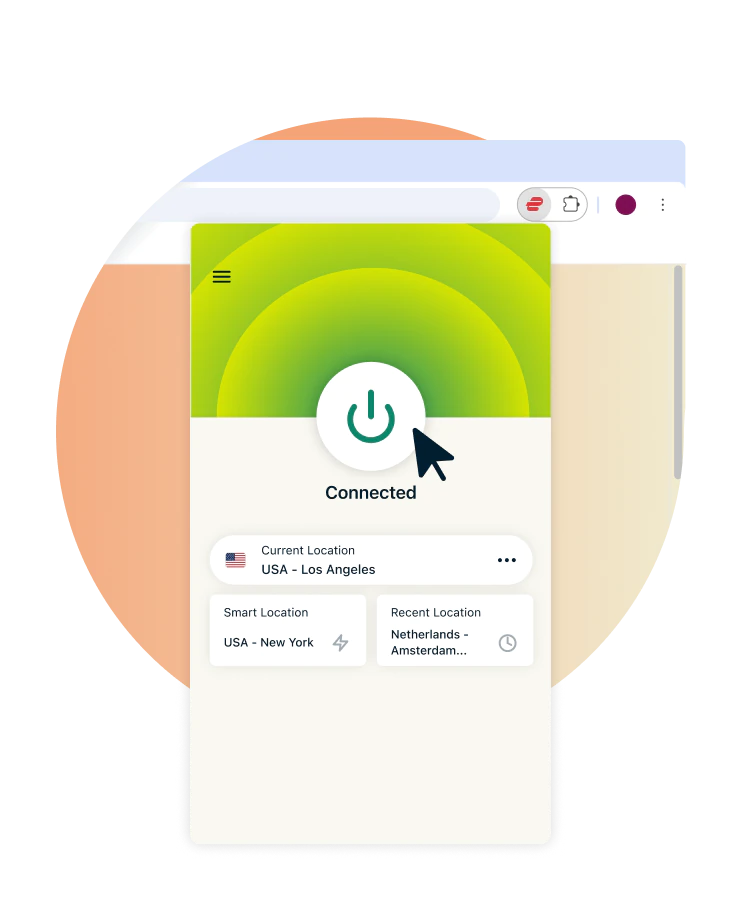
Native app and extension compatibility
A quality Chromebook VPN should provide flexible setup options, such as an Android app (for Chromebooks with Play Store access), and a Chrome extension. These methods should deliver one-click connection and consistent protection across different networks.
ExpressVPN offers both setup methods and works across all your devices, from phones and laptops to tablets and smart TVs.

Proven privacy practices and encryption
The best VPN for Chromebook gives you peace of mind, with powerful privacy features beyond the basics.
With strong encryption and a robust suite of security features, your data is protected from cyber threats, ISPs, and prying eyes—so you can browse, stream, and work confidently, even on unsecured networks.

Consistent speed and support reliability
A premium VPN keeps your Chromebook connection fast and reliable. With a network of high-speed servers and advanced VPN protocols, you can stream local and international content in HD/4K, via your existing streaming accounts, and never miss a beat.
ExpressVPN backs this with expert support available 24/7 via live chat, so you're never stuck troubleshooting alone.
Why ExpressVPN is ideal for Chromebook
Discover what the best VPN for Chromebook is made of

Lightway Protocol for fast, secure connections
Get fast, secure, and reliable connections on Chromebook and all your devices with ExpressVPN’s Lightway protocol.
Engineered for efficiency, it minimizes battery drain and maintains stable connections even when switching between networks. Lightweight yet powerful, it delivers high performance whether you're streaming at home or working from a coffee shop.

TrustedServer technology with no logs, ever
Privacy is our top priority. Our TrustedServer technology operates entirely on volatile memory (RAM-only servers), ensuring no data is ever stored.
ExpressVPN also follows a strict no-logs policy, independently audited by firms like KPMG and PwC. These audits confirm that your browsing activity, IP address, and connection data are never collected, stored, or monitored, even by us.

Post-quantum cryptography for future-safe security
Staying protected with a VPN for school Chromebook means staying ahead of emerging threats.
ExpressVPN includes post‑quantum cryptography, designed to defend your data against both classical and quantum computing attacks. With future‑safe encryption built in, you’re protected now and prepared for what could happen next.

Connect up to 14 devices under 1 subscription
Protect up to 14 devices at once with a single ExpressVPN account, ideal for large families or multi-device users.
Stay secure on your Chromebook, Windows PC, phones, and more. For whole network coverage, install ExpressVPN on a compatible router or use Aircove*, our router with built-in VPN protection.
*Requires active ExpressVPN subscription

10Gbps VPN servers in 105+ countries
Stream, browse, and game on 10 Gbps VPN servers across 105+ countries, all regularly maintained for fast and consistent connections.
Connect manually to any ExpressVPN server, or let Smart Location automatically connect you to the fastest server nearby. With unlimited bandwidth and no data caps, your connection stays fast no matter how much you use the VPN.

Built-in Threat Manager to block trackers
ExpressVPN’s Threat Manager adds a powerful layer of protection. It blocks apps and websites from communicating with known trackers and malicious domains on our regularly updated blocklist. This helps to keep your devices safe and your browsing data from being profiled.
Available on the Android app for Chromebook, this feature ensures your online activity stays secure.

Real human support, available 24/7
With ExpressVPN, you get live 24/7 customer support, and it’s always just a click away. Our multilingual team can help with setup, troubleshooting, or any questions you may have.
Plus, first-time users can try ExpressVPN for Chromebook risk-free with our 30-day money-back guarantee. If you’re not satisfied, just contact support to request a refund.
Compatible with most Chromebook models
Secure your Chromebook VPN, your way
-
![Supports devices with Android app access Devices that can run Android apps—including Chromebooks, smartphones, and tablets—can install the Expr...]()
Supports devices with Android app access
Devices that can run Android apps—including Chromebooks, smartphones, and tablets—can install the ExpressVPN app directly from the Google Play Store. Once installed, you get strong encryption, IP address masking, and secure access to apps and websites.
-
![Use via Chrome extension on browser-only devices For Chromebooks that don’t support Android apps, the ExpressVPN Chrome extension provides protec...]()
Use via Chrome extension on browser-only devices
For Chromebooks that don’t support Android apps, the ExpressVPN Chrome extension provides protection directly in your browser. You can also let it connect to the desktop app to manage VPN connections for the whole device with ease right from your browser.
-
![Simple setup for both school and personal Chromebooks Whether you’re using a personal or school-managed Chromebook, setup is straightforward—no...]()
Simple setup for both school and personal Chromebooks
Whether you’re using a personal or school-managed Chromebook, setup is straightforward—no tech skills needed. Follow our step-by-step guides to connect via the app or Chrome extension, and access expert support anytime if needed.


What people are saying about ExpressVPN
See why ExpressVPN’s happy customers keep coming back
I have ExpressVPN on all my devices - phone, laptop, tablet, AppleTV, etc., and absolutely love it.


* A sample of reviews from our most satisfied customers
Got an account with @expressvpn yesterday. Great decision for traveling out of the country!
@D_Geiger

* A sample of reviews from our most satisfied customers
With its consistent performance and reliable security, ExpressVPN is the best VPN out there.

* We sometimes pay expert sites for customer referrals
FAQs: About Chromebook VPNs
What you need to know about a VPN for Chromebook
Can you use a VPN on a Chromebook?
Yes. You can use a VPN for Chromebook either by installing the ExpressVPN Android app (if your device supports Android apps) or by using the Chrome browser extension. Both encrypt your connection and protect your data on public networks, but the browser extension only secures activity within the browser itself.
Do I need a VPN extension for Chrome OS?
No! No browser extension is needed. Chromebooks with Android app support can run the full ExpressVPN app, giving you access to all its features. Simply install ExpressVPN for Android, and your secure and private connection is good to go.
Is a free VPN for Chromebook safe for school?
A free VPN for school Chromebook can potentially put your privacy at risk and expose your data—many log activity, inject ads, limit bandwidth, or offer only a few server locations. ExpressVPN offers a secure, encrypted network with 10‑Gbps servers in 105+ countries, unlimited bandwidth, and reliable speeds—keeping your online activity private and safe on any network.
How do I set up a VPN if the Play Store is blocked?
If the Play Store is blocked, you can use ExpressVPN for Chromebook via a compatible router or our Aircove pre-configured router, which protects all devices on your network. Alternatively, the ExpressVPN Chrome extension provides browser-level VPN protection without needing the Android app.
How do I install ExpressVPN on my Chromebook?
How do I get a VPN for school Chromebook? Sign up for ExpressVPN and choose a subscription tier. Install the Android app from the Google Play Store, open it, select a server, and tap the power icon to connect securely. First-time users can try it risk-free for 30 days.
Will a VPN slow down my connection on a Chromebook?
Using a VPN on your Chromebook might slightly reduce speed due to encryption, but ExpressVPN’s 10 Gbps servers and optimized Lightway protocol minimize the impact. In many cases, it can even improve stability and prevent ISP throttling, keeping your browsing and streaming fast and reliable.
How can I confirm if ExpressVPN is working on my Chromebook?
To confirm ExpressVPN is working on your Chromebook, connect to a VPN server and use our IP-checking tool. If your displayed IP address and location match your chosen server, your connection is secure and private.
What makes ExpressVPN different from other options?
ExpressVPN stands out with its global network of 10‑Gbps servers in 105+ countries, proprietary Lightway protocol, TrustedServer RAM-only technology, and post-quantum cryptography. With apps for Android, Chromebook, and browser extensions, plus 24/7 live multilingual support, ExpressVPN is a fast, secure, and reliable choice—the best VPN for Chromebook.
How many devices can I protect with 1 ExpressVPN subscription?
With a single ExpressVPN subscription, you can protect up to 14 devices at once, covering all major devices. For network-wide coverage, our router options provide an affordable solution, protecting the whole household while counting as just 1 connection.
Try ExpressVPN risk-free on your Chromebook
First-time customers can try ExpressVPN risk-free with our 30-day money-back guarantee.*
*Contact support to request a refund. Limited to first-time subscribers.